



One web app for your service desk's LAPS passwords and BitLocker recovery keys
Access Manager gives your service desk one place to retrieve any LAPS password, no matter where it is stored. Your team types a computer's name and Access Manager finds it, whether it is in Active Directory or Microsoft Entra ID. Nobody has to guess where a password lives or which tool to read it with.
Access Manager's authorization rules control who can access those passwords, so your service desk doesn't need broad rights in Active Directory or an admin role in Microsoft Entra ID to read them.
Professional edition from USD 750 a year, including 100 devicesOrder online for up to 1,000 devicesFree Community edition for up to 100 devices
Built for your IT team
For your service desk
- Every local admin password in one web app, without needing to know where it is stored.
- The same web app allows them to retrieve BitLocker recovery keys.
- Passwords shown with a phonetic breakdown that is easy to read out over the phone.
- The web app is mobile friendly, so field technicians have access on-the-go.
- Our passwordless login system, RapidLAPS, means never having to read out or type a long and complicated LAPS password ever again.
For your infrastructure team
- Your service desk doesn't need delegated Active Directory permissions or a Microsoft Entra admin role.
- Your users never learn the local admin password, even when they need admin rights.
- Each person can see passwords and recovery keys only for the computers that your authorization rules allow.
- Every request is recorded with the user, the computer and the time.
How it works
- 1Your service desk signs in to the Access Manager web app through your identity provider.
- 2They type the computer's name, and Access Manager checks that your rules allow them access to it.
- 3Access Manager issues the password or recovery key, and creates the audit record.
Fine-grained access to recovery keys and passwords
Whatever your access rule requirements, Access Manager can accommodate them. It supports delegating access to individual computers, groups, organizational units, or even the entire directory. Each rule allows you to specify the users, the computers, and the type of access they have.
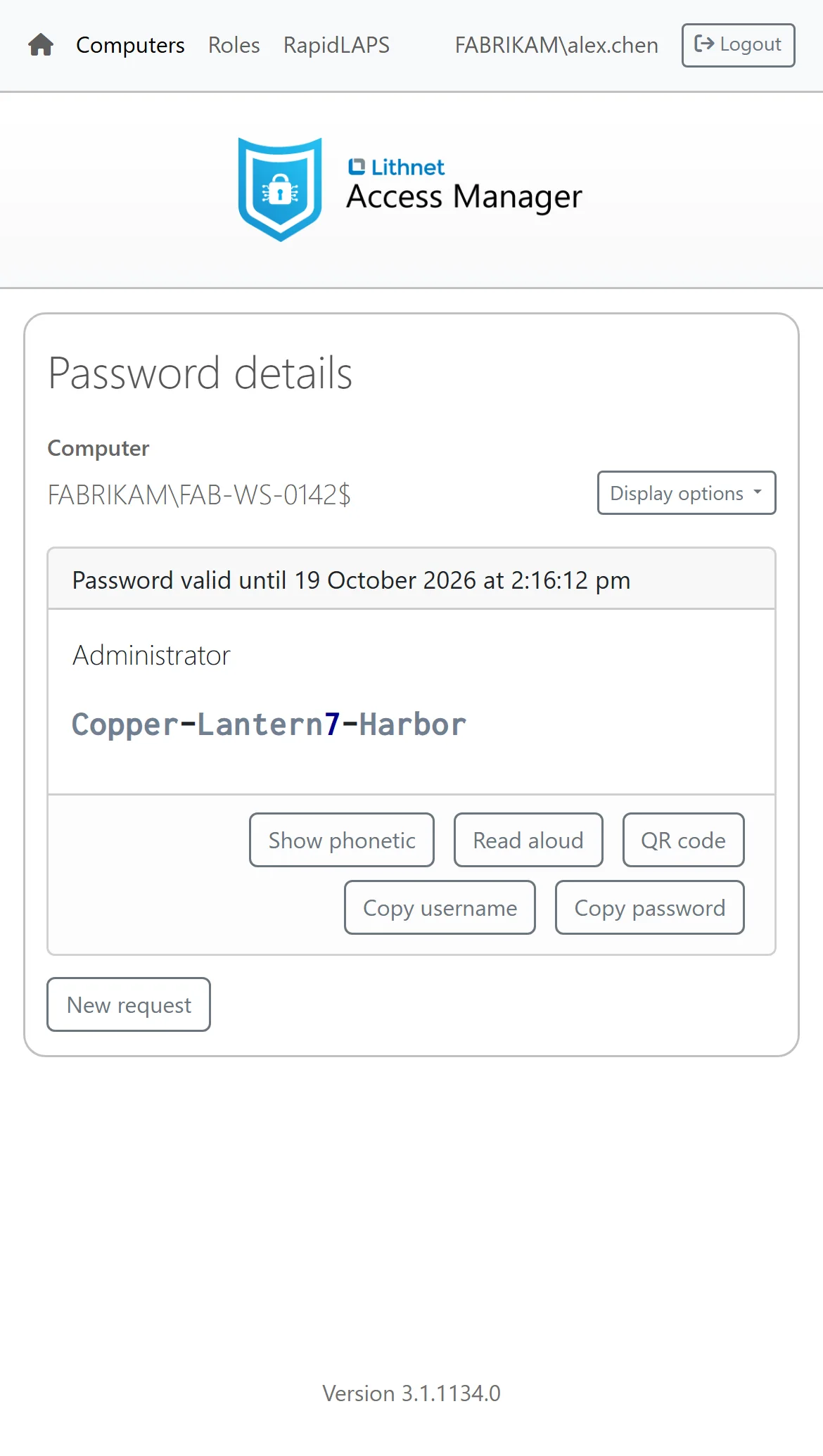
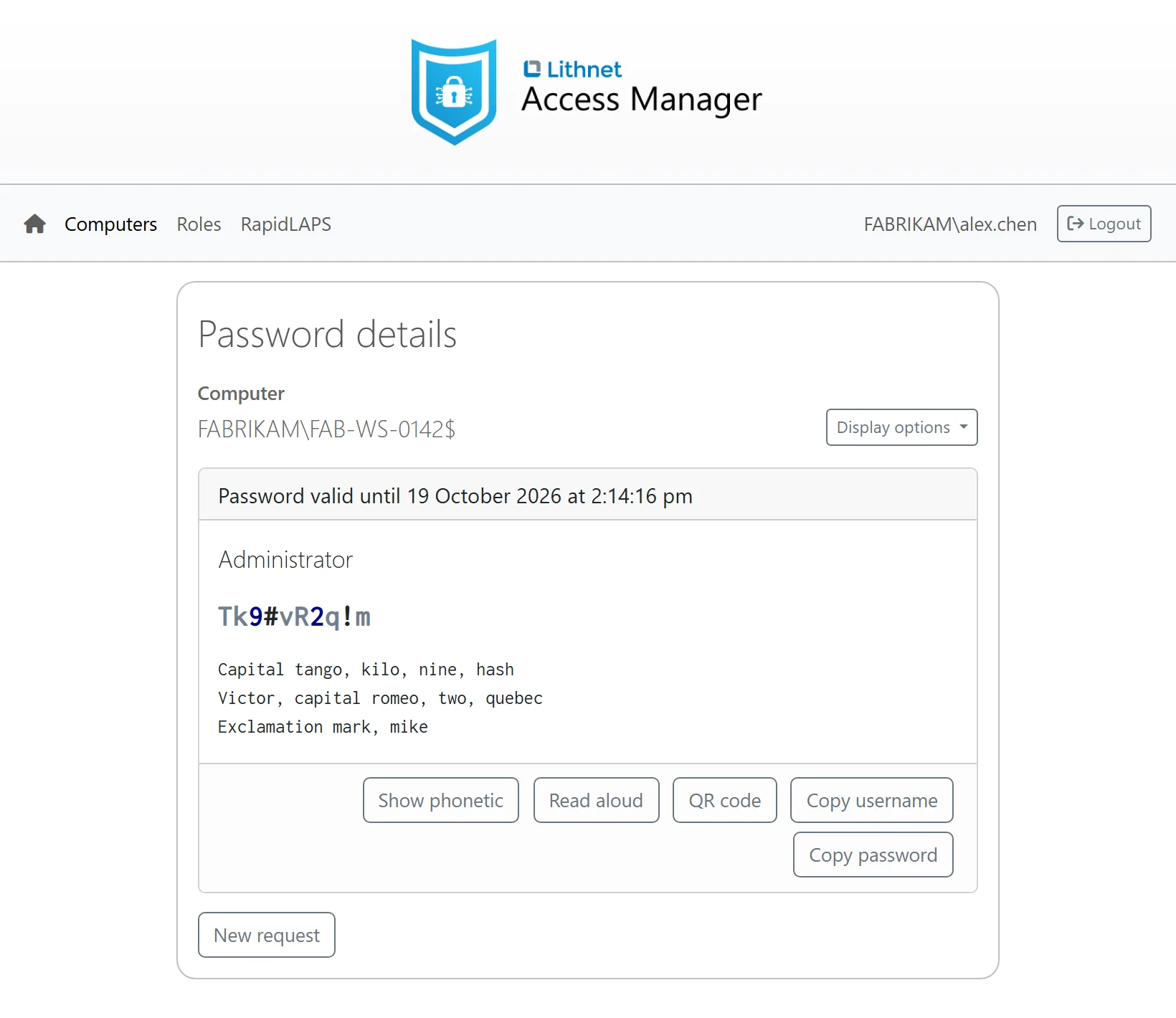
The little things that make passwords and recovery keys easier to read out
The web app shows passwords in a font in which you can tell a lowercase l from a capital I. Digits, letters and symbols appear in different colors. The web app spells each password out in the phonetic alphabet, and it can read the password aloud in browsers that support it. BitLocker recovery passwords get the same help. When our agent manages the password, it can generate passphrases from your own word lists.
Forget reading out and typing the password, RapidLAPS gets you in with a single click
RapidLAPS lets your team log on to a Windows computer as the local admin, or run an app as administrator, without anyone reading out or typing the password.
At the user's desk
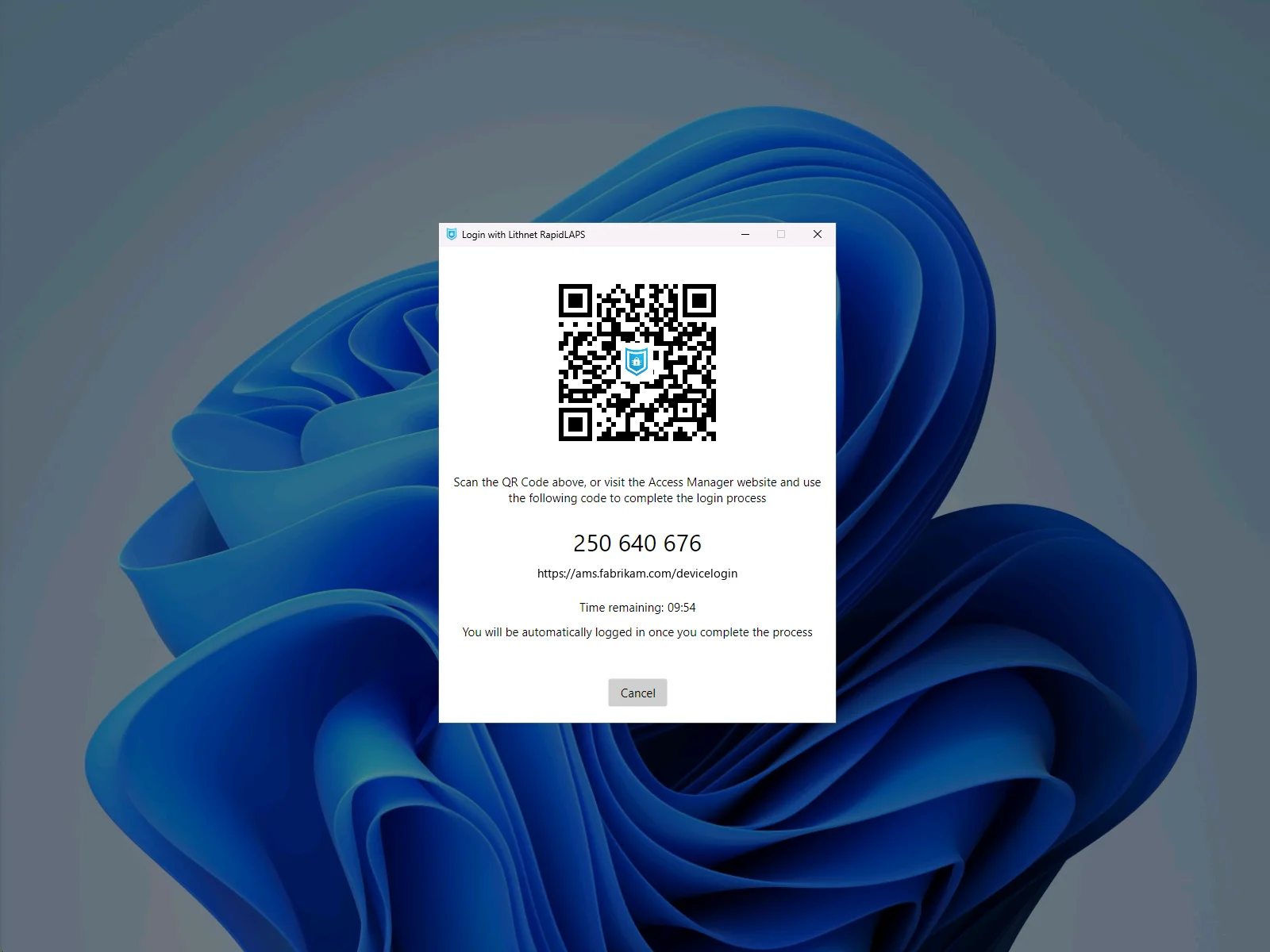
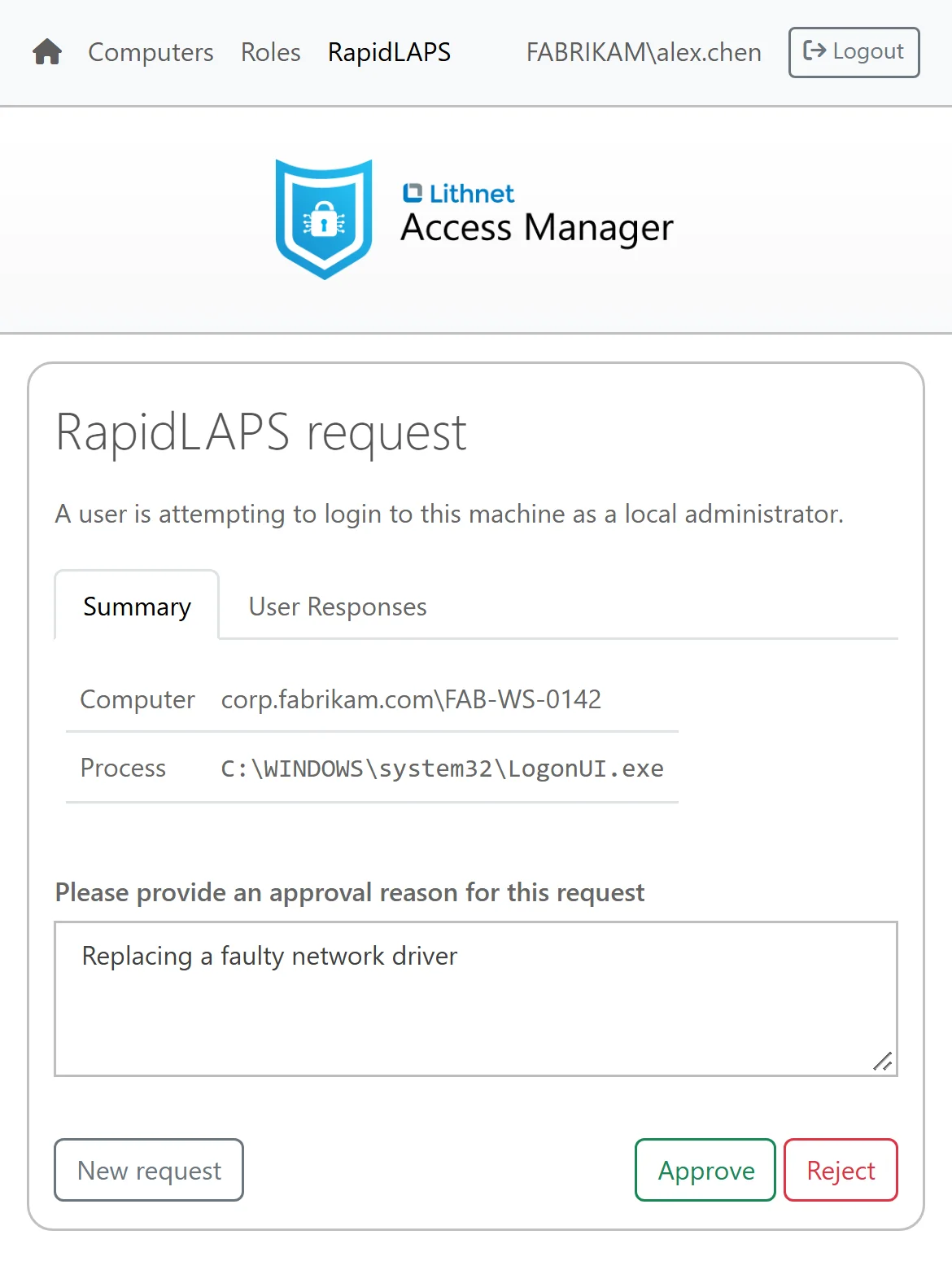
A desktop support technician chooses "Login with RapidLAPS" on the Windows logon screen. The technician scans the QR code with their phone and approves the request in Access Manager. Windows then logs on to the local admin account.
Over the phone
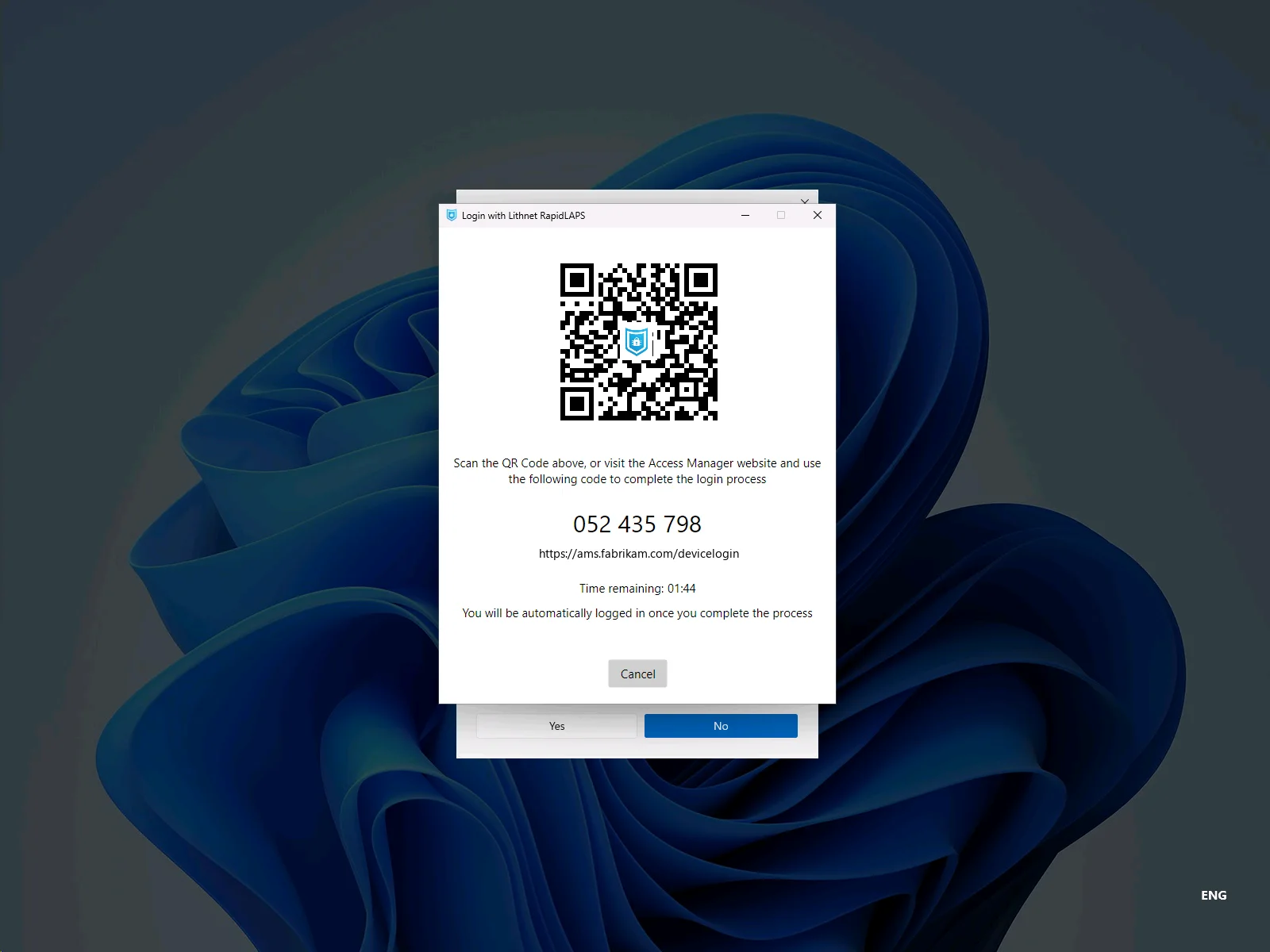
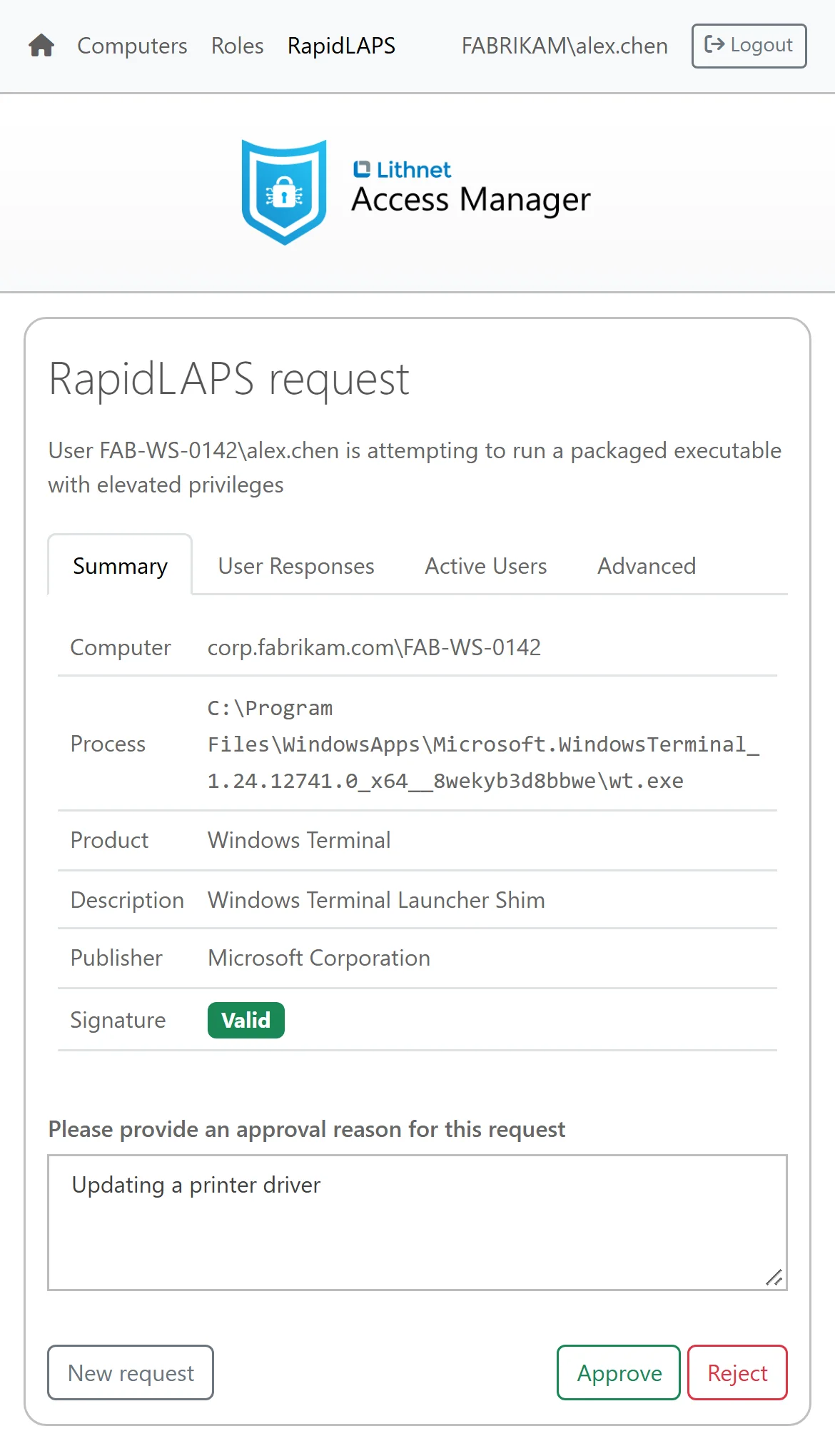
A remote user who needs admin rights chooses "Elevate with RapidLAPS" at the Windows admin prompt. The user reads the PIN on the screen to your service desk over the phone. The service desk operator enters the PIN in the Access Manager web app. Before approving the request, the operator checks which program is asking, who published it and whether its signature is valid. The program then runs as administrator.
Web-based access to BitLocker recovery keys
Recovery keys get the same sign-in, authorization rules and audit trail as LAPS passwords. Access Manager reads the BitLocker recovery passwords that Windows backs up to Active Directory. On Windows devices that are joined to Microsoft Entra ID or not joined to a domain, the Access Manager agent can encrypt the recovery keys on the device and back them up to Access Manager. Each key shows its password ID and backup date so that the service desk operator can match it to the ID on the recovery screen.
Know who asked for each password or recovery key
Access Manager logs every request in the web app, whether it grants the request or denies it. Each event records who asked, for which computer, what they asked for, when, from which IP address and the reason they gave. Access Manager can send those audit events to your SIEM, or even get them sent right to your Slack or Teams channel.
Frequently asked questions
Can Access Manager read legacy Microsoft LAPS passwords?
Yes. Access Manager reads the passwords that legacy Microsoft LAPS stores in Active Directory.
Can Access Manager read Windows LAPS passwords?
Yes. Access Manager reads Windows LAPS passwords from both Active Directory and Microsoft Entra ID. Your service desk uses the same web app for every computer, whichever directory holds its password.
Where does Access Manager run?
Access Manager runs on a Windows Server that you host in your own data center or with your cloud provider, such as Azure or AWS. It doesn't depend on a Lithnet cloud service, and your LAPS passwords and BitLocker recovery keys never leave your environment.
What is the Access Manager agent?
The Access Manager agent is an optional program for your Windows, macOS and Linux devices, and you configure it to do exactly what you need. It can manage the local admin password and store it securely in Access Manager, generate passphrases from your own word lists, back up BitLocker recovery keys from your Windows devices, and give your team RapidLAPS passwordless logon and elevation. You can run it on every device, or alongside Windows LAPS on some of them.
Do we need the Access Manager agent?
The Access Manager agent provides a range of features above and beyond what Microsoft LAPS provides, but it is not required if you only want to access Windows LAPS passwords from the Access Manager web app. Deploy the Access Manager agent if you want to use RapidLAPS, back up BitLocker recovery keys from your devices, or use LAPS passphrases based on custom word lists.
Get started today
Paid editions start at USD 750 a year and include support from Lithnet. The free Community edition covers up to 100 devices and includes RapidLAPS and BitLocker recovery keys.
The free trial unlocks every feature for 30 days on a free installation.