



LAPS for macOS and Linux
Windows LAPS gives each Windows computer its own admin password, but how do you make sure that your Macs and Linux machines have unique, rotating root passwords too? Lithnet Access Manager provides an agent for macOS and Linux that manages the root password on each machine, just like LAPS does on Windows. Your team then retrieves those passwords in the Access Manager web app, along with all your Windows LAPS passwords.
Professional edition from USD 750 a year, including 100 devicesFree Community edition for up to 100 devices
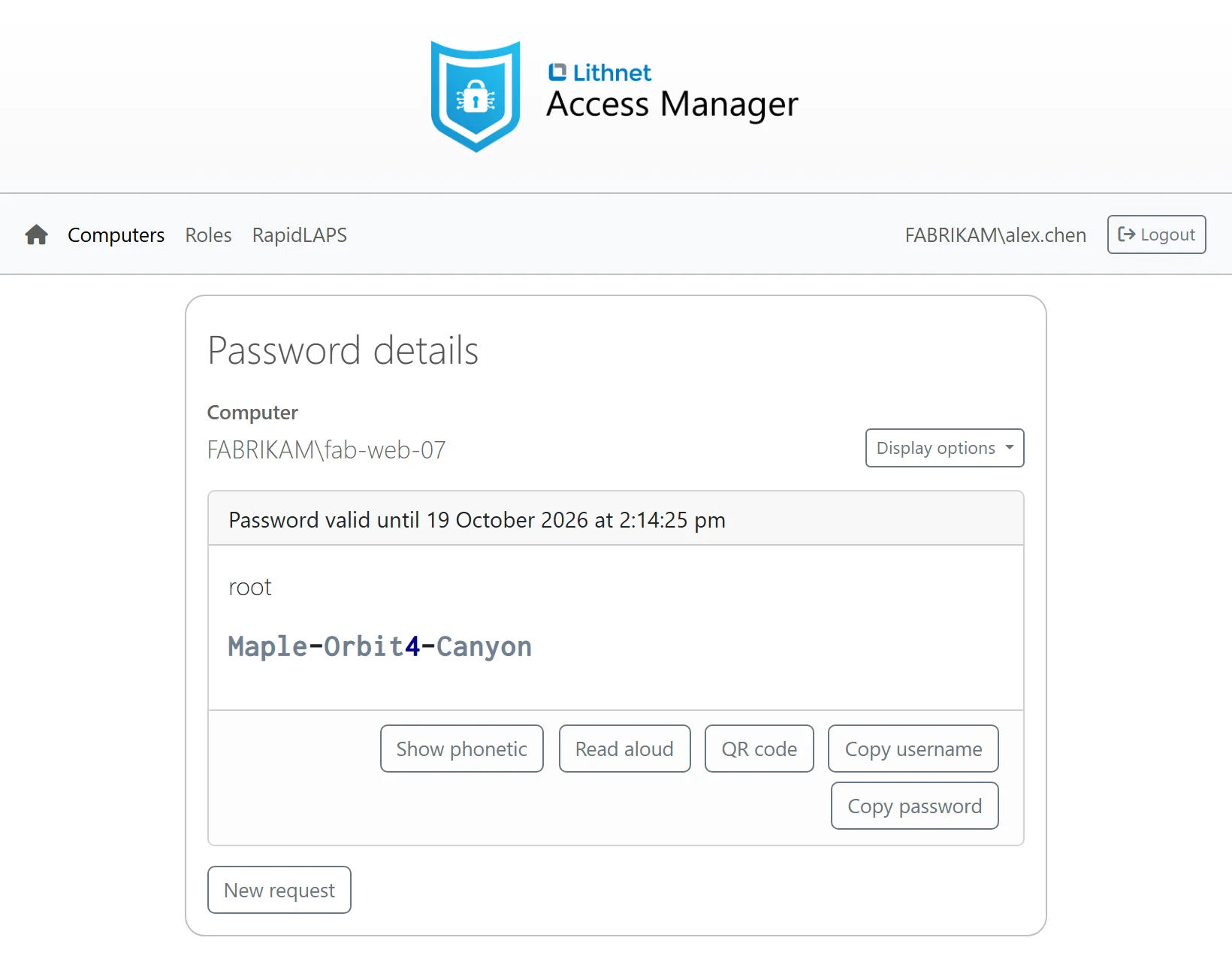
LAPS for every device you manage
Access Manager lets you protect your entire fleet's admin accounts, not just Windows. Deploy the Access Manager agent to your fleet for universal coverage, regardless of operating system and domain or Entra-join status. The Access Manager Service gives you one web app to access any LAPS or root password for any device in your environment.
Learn more about Lithnet Access ManagerOne agent, any operating system
Windows
The agent manages the password of the built-in Administrator account, or of a local admin account that you name, on devices that are joined to Active Directory, joined to Microsoft Entra ID or not joined at all. It also adds RapidLAPS passwordless logon and can back up BitLocker recovery keys. We publish installer packages for x64 and Arm64.
macOS
The agent manages the password of the root account, or of a local admin account that you name. We publish installer packages for Apple silicon and Intel Macs.
Linux
The agent manages the root password, or the password of another local account that you name. We publish DEB and RPM packages for x64 and Arm64. Our APT and YUM repositories let you install and update the agent in the same way as your other packages.
Every LAPS password in one web app
Your service desk finds every password in one place. They don't need to know where it is stored or which tool to open. Access Manager automatically searches its own password store, Active Directory and Entra, to find the computer the user is after.
Support for passphrases
A passphrase such as hybrid-prankish-defrost-hazard is much easier to read out over the phone or type than a random password. The Lithnet Access Manager agent can be configured to generate a passphrase instead of a random password. We supply a built-in English word list, or you can supply your own, in any language.
End to end encryption
The agent encrypts each new password on the device before it sends it. Access Manager keeps the password encrypted until an authorized person asks for it in the web app. Your passwords never leave your environment.
Frequently asked questions
What is the Access Manager agent?
The Access Manager agent is an optional program for your Windows, macOS and Linux devices, and you configure it to do exactly what you need. It can manage the local admin password and store it securely in Access Manager, generate passphrases from your own word lists, back up BitLocker recovery keys from your Windows devices, and give your team RapidLAPS passwordless logon and elevation. You can run it on every device, or alongside Windows LAPS on some of them.
Do I need the Access Manager agent?
Yes, for your Macs and Linux machines. The Access Manager agent manages and rotates the admin or root password on each one. Your Windows devices can keep using Windows LAPS, and Access Manager shows all of these passwords in the same web app.
Do our Macs and Linux machines need to join a domain?
No. The agent works on Macs and Linux machines that are joined to Active Directory, joined to Microsoft Entra ID or not joined to anything.
How do we deploy the agent?
The macOS agent is a signed installer package for Apple silicon and Intel Macs. The Linux agent comes as DEB and RPM packages, and you can also install it from our APT and YUM repositories. You can deploy both with your device management tools.
Can the agent manage a Mac admin account that has a secure token?
Yes. If your managed admin account needs a secure token, you grant it with your MDM (mobile device management) tool or a script. Enabling secure token support for macOS (docs)
Which Linux distributions does the agent support?
We test specific versions of Ubuntu, Debian, Red Hat Enterprise Linux and Fedora, and we support each version for as long as its vendor supports it. The agent runs on Microsoft .NET. Our tar.gz archive should also work on other distributions that .NET supports (Microsoft Learn) if they use systemd and include the chpasswd tool. System requirements (docs)
Get started today
Paid editions start at USD 750 a year and include support from Lithnet. The Community edition includes the macOS and Linux agents and is free for up to 100 devices.
The free trial unlocks every feature for 30 days on a free installation.